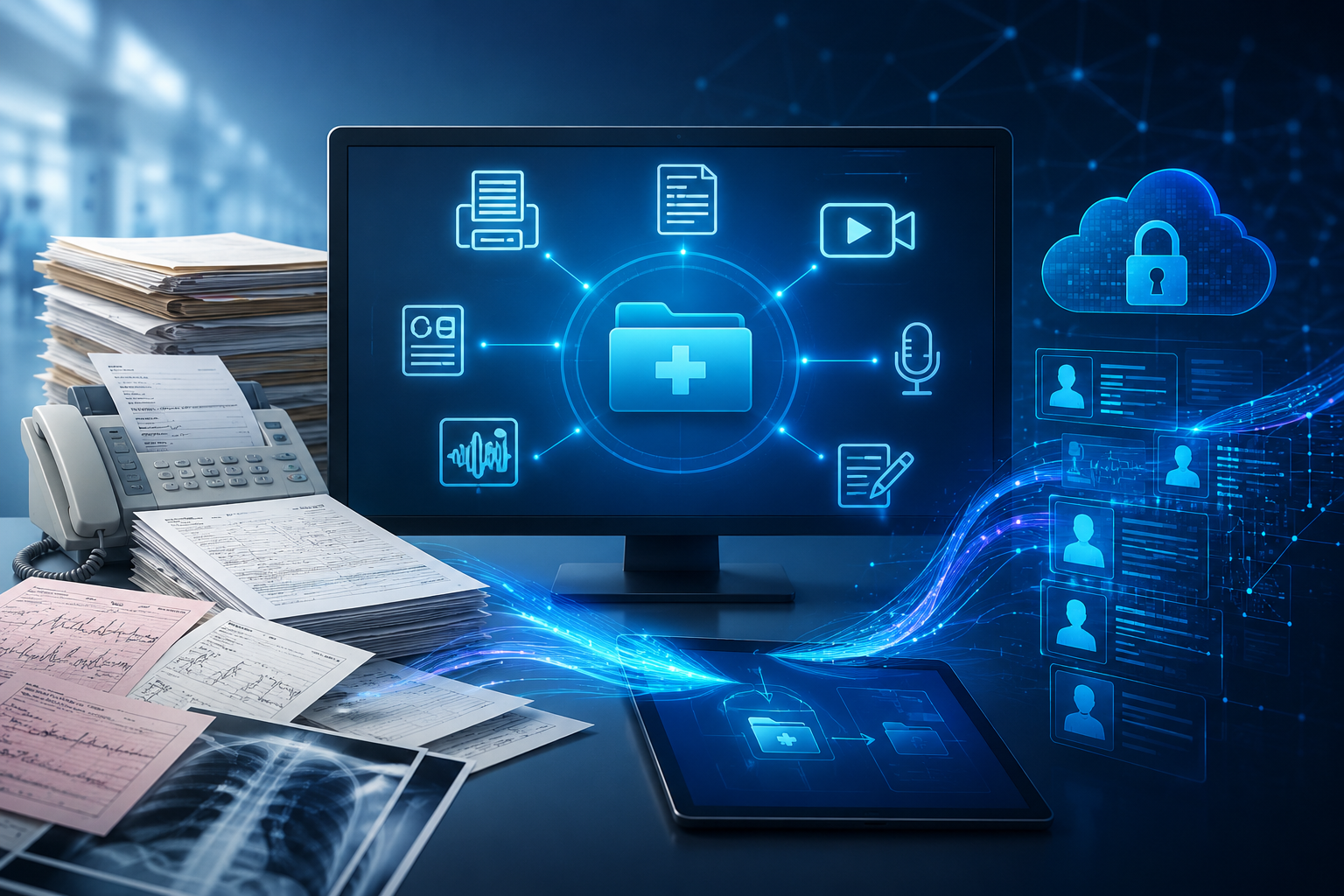
The 8 Clinical Content Types Your EHR Cannot Handle — And What to Do About Each One
Every HIM Director knows the feeling. You open the queue on Monday morning, and before you can touch the structured work — the coding queries, the CDI reviews, the compliance reports — you have to wade through the pile. The faxes that arrived over the weekend. The telehealth recordings sitting in a Zoom folder someone emailed you about. The handwritten notes from the ICU that were scanned and sent over as image files. The patient intake forms that front desk couldn’t get to on Friday.
This is the pile that gets no respect in healthcare IT conversations. Vendors talk about EHR optimization, clinical decision support, population health analytics. Nobody talks about the pile. But the pile is where your team’s time goes, where burnout starts, and where patient safety risks hide.
The reason the pile exists is structural: EHRs were designed to manage structured, discrete data — lab values, vital signs, medication orders, coded diagnoses. They were not designed to ingest, classify, and extract meaning from the unstructured content that represents 80% of all clinical information a health system generates. That gap is the pile.
This article breaks down each of the eight content types that HIM departments commonly face, the specific processing challenges each one creates, and the approaches that are actually working in production environments today.
Why This Matters More Than Ever
Three trends are converging to make the unstructured data challenge more acute than ever for HIM:
- Telehealth expansion has created a new category of unmanaged clinical content: video recordings, audio logs, and session transcripts that exist outside any EHR workflow
- Regulatory scrutiny is increasing — HIPAA auditors are specifically asking about telehealth recording retention, and organizations that cannot demonstrate compliant workflows are at risk
- Staffing shortages are making manual document processing unsustainable — HIM teams are smaller and facing higher volumes simultaneously
| 80% of clinical data is unstructured | $300B annual cost of dirty data in US healthcare | 70% of medical communications arrive by fax |
Content Type 1: Inbound Faxes
The Challenge
Despite everything the healthcare industry has done to modernize clinical communication, approximately 70% of medical information exchange still occurs via fax. A fax arrives as a PDF or TIFF image — a photograph of a document, to be precise — and requires a trained human to read, classify, identify the patient, extract the relevant clinical data, and manually enter that data into the appropriate EHR fields.
For a mid-sized health system processing 200–500 inbound faxes per day, this manual workflow consumes thousands of labor hours per year and is a primary driver of HIM burnout. It also creates clinical risk: a fax misclassified as routine when it contained urgent lab results, or a referral routed to the wrong department because the patient name was ambiguous.
What Actually Works
Intelligent Document Processing (IDP) platforms now achieve 94–97% auto-filing accuracy on clean, printed fax content. The workflow: the fax arrives, AI classifies the document type (referral, lab result, prior auth, prescription refill), extracts the patient demographics and key clinical data, matches to the correct MPI record, and stages the structured data for EHR routing — all in seconds.
The important caveat: AI accuracy degrades on faxed-of-faxes (third-generation copies), handwritten content within faxes, and unusual document formats. A Human-in-the-Loop (HITL) validation step — where a trained specialist reviews low-confidence extractions — is essential for maintaining the accuracy levels that clinical documentation requires.
Key Metric
Teams implementing automated fax processing reduce manual fax handling time by 60–70% on average, with the remaining staff time redirected to higher-value CDI and coding work.
Content Type 2: Scanned Documents
The Challenge
Scanned documents are the legacy problem that never went away. Decades of paper records, converted to PDF or TIFF through departmental scanners, live in document management systems as what HIM professionals call ‘dumb images’ — files that an EHR can store but cannot search, cannot index by clinical concept, and cannot use to trigger decision support.
A scanned operative report, for example, contains the surgeon’s technique, the implant specifications, the post-operative instructions, and the anesthesia record. All of that clinical information is invisible to any analytics tool unless a human re-keys it into structured fields.
What Actually Works
Modern OCR (Optical Character Recognition) combined with Natural Language Understanding (NLU) can extract and structure the clinical content from most clean scanned documents with high accuracy. The resulting output — tagged clinical entities, ICD-10 and CPT code suggestions, extracted patient demographics — can be attached to the document and indexed in the EHR, making decades of scanned content searchable by concept for the first time.
The practical limitation remains handwritten content within scanned documents, which requires a different approach covered in Content Type 5 below.
Content Type 3: Telehealth Session Recordings
The Challenge
Telehealth exploded during the pandemic and has stabilized at a level that has fundamentally changed clinical documentation requirements. Most health systems now have hundreds of telehealth sessions per week — many of which are being recorded by the telehealth platform (Zoom Health, Microsoft Teams, Doximity, Teladoc) and stored in a cloud folder that HIM has no visibility into, no retention control over, and no connection to the EHR.
This creates three simultaneous problems. First, a HIPAA compliance risk: telehealth recordings containing PHI must be retained under the same medical records retention standards as any other clinical documentation. Second, a revenue cycle risk: physicians are creating clinical notes for telehealth visits at lower rates than in-person visits, leaving encounters undocumented and unbilled. Third, a medicolegal risk: if a patient’s telehealth session recording is subpoenaed and the organization cannot produce it because Zoom deleted it after 30 days, that is a significant liability.
What Actually Works
Platforms that can ingest recordings directly from telehealth providers (via API integration with Zoom, Teams, Doximity) and automatically produce structured clinical output are the only scalable solution. The processing pipeline: audio extraction from the video file, speaker-diarized transcription identifying which speaker is the clinician and which is the patient, natural language processing to extract diagnoses and medication mentions, and generation of a draft SOAP note for provider review.
The provider reviews the AI-generated note in under two minutes, corrects any errors, and signs it. The recording is then filed with the encounter, the note is filed in the EHR, and the billing record is complete. Total provider burden per telehealth encounter: approximately 2 minutes additional time for documentation review.
Compliance Note
HIPAA requires telehealth recordings containing PHI to be retained under the same standards as other medical records — typically 7–10 years for adult patients. Organizations should audit their current telehealth recording storage and retention practices before their next HIPAA review.
Content Type 4: Clinical Video Files
The Challenge
Beyond telehealth, health systems generate a significant volume of clinical video content that belongs in the medical record: surgical procedure recordings, endoscopy videos, wound documentation photographs and videos, radiology-adjacent imaging, and clinical training recordings that reference specific patient cases. These files typically live on surgical system hard drives, camera memory cards, or departmental shared drives — disconnected from the EHR and from any structured clinical workflow.
What Actually Works
For procedural video, the primary value of AI processing is in the audio track: surgeon narration of technique, anesthesia record verbalized during the procedure, nursing documentation spoken aloud. Speaker-diarized transcription of this audio, combined with procedure code extraction, provides a structured clinical record that can be attached to the surgical encounter.
The video file itself — after audio processing — can be stored in a HIPAA-compliant clinical media repository with EHR linking, making it retrievable for quality review, surgical outcome tracking, and medicolegal purposes.
Content Type 5: Handwritten Physician Notes
The Challenge
Handwritten notes are the hardest problem in clinical document processing, and any vendor who tells you otherwise is not being honest with you. The variability of individual physician handwriting, combined with the speed at which clinical notes are typically written, produces documents that push the limits of even the most advanced AI recognition systems.
The practical accuracy range for pure AI-only handwriting recognition on real clinical notes from emergency departments and intensive care units is 75–85%, depending on the legibility of the specific physician’s handwriting. At 80% accuracy, one in five words is wrong. In a clinical context, a misread medication dosage or a wrongly transcribed diagnosis code is not an acceptable error.
What Actually Works
The only approach that achieves clinically acceptable accuracy on handwritten notes is a combination of AI and human validation — what is called Human-in-the-Loop (HITL) processing. The AI processes the note first (fast, inexpensive), identifies high-confidence extractions, and flags ambiguous sections. A trained clinical documentation specialist — someone with medical vocabulary training, not a general transcriptionist — reviews and corrects the flagged sections before the output routes to the EHR.
This hybrid approach achieves 99%+ validated accuracy because the human expert only reviews the sections where the AI is uncertain — typically 20–30% of the text — rather than transcribing the entire note from scratch. It is faster than pure manual transcription and more accurate than pure AI.
Industry Honesty Always ask AI vendors for their accuracy benchmarks specifically on handwritten clinical notes — not on printed documents, not on clean dictation. Benchmark tests on handwritten ED and ICU notes from actual clinical environments consistently show accuracy 10–20 percentage points lower than vendors advertise for clean content.
Content Type 6: Patient Paper Forms
The Challenge
Despite the proliferation of patient portal self-service tools, a significant percentage of patient-facing documentation still arrives on paper: intake questionnaires, health history forms, consent documents, release of information requests, and HIPAA acknowledgments. Each of these forms contains structured data fields — patient demographics, chief complaints, medication lists, insurance information — that must be manually re-entered into the EHR.
For a practice seeing 50 patients per day, manual form processing can consume 2–3 hours of front desk time — time that could be spent on patient interaction, scheduling, and care coordination.
What Actually Works
Template-aware extraction — where the processing system knows the structure of your specific forms — achieves 92–97% accuracy on printed patient forms. The system recognizes each form type, maps the handwritten or printed entries to the corresponding EHR fields, matches the patient to the Master Patient Index (MPI), and stages the structured data for one-click acceptance by a staff member.
The key differentiation from generic OCR is the template-awareness: the system needs to be configured with your specific form designs to achieve high accuracy. This configuration typically takes days, not months, and can accommodate hundreds of different form templates.
Content Type 7: Voice and Audio Files
The Challenge
Physician dictation has historically been the core use case for medical transcription — and remains a significant volume workflow for many health systems. Beyond structured dictation, audio files in clinical settings include bedside recording devices, voicemail messages with clinical instructions, audio from patient home monitoring devices, and podcast-format provider communications.
Modern ambient AI (Dragon Medical, Nuance DAX) has significantly automated the structured dictation workflow. However, these tools are optimized for in-EHR, real-time use by the dictating physician. They do not process audio files that arrive after the clinical encounter, audio from devices outside the EHR environment, or audio from non-physician clinical staff.
What Actually Works
AI transcription of audio files using models trained on medical vocabulary achieves 88–96% accuracy on clearly-recorded physician dictation. Combined with ICD-10 and CPT code suggestions from the transcript, this produces a structured clinical note that requires only provider review and signature.
For audio with background noise, multiple overlapping speakers, or non-standard clinical vocabulary, the HITL layer is again essential for achieving acceptable accuracy.
Content Type 8: PDF and Word Files
The Challenge
External clinical documents — referral packets, specialist consult letters, hospital discharge summaries, external lab results — frequently arrive as PDF or Word files. Unlike faxed documents, these files contain selectable text that can be extracted without OCR. However, that text is typically unstructured narrative that requires NLP to extract the discrete clinical data elements of interest.
What Actually Works
Full-text extraction combined with clinical NLP entity recognition can classify these documents, identify the key clinical concepts (diagnoses, medications, procedures, follow-up instructions), and tag the document with structured metadata that makes it searchable within the EHR. The document itself is filed to the patient chart; the structured entities are available to CDI and analytics tools.
The Integration Reality
All eight of these content types ultimately need to connect to your EHR. The integration landscape has two primary standards:
- HL7 v2 ORU messages for high-volume, reliable document routing — the standard that labs and radiology have used for decades and that every major EHR supports
- FHIR DocumentReference for modern EHR connectivity, allowing the source document (the original fax, the original recording) to be linked to the patient chart alongside the structured extracted data
The practical reality: do not let any vendor promise ‘seamless auto-writing’ of structured data directly into the active medical record. Epic and Cerner specifically restrict direct third-party writes to the legal medical record for liability reasons. The correct integration model is Data Staging — structured data is proposed to the EHR, and a clinician or HIM specialist reviews and accepts it. This creates a liability shield (the human remains responsible for the data) while eliminating the tedious manual entry work.
Where to Start
The practical recommendation for any HIM department beginning this journey: don’t try to solve all eight content types at once. Identify the one or two that are causing the most operational pain and the most burnout risk, run a structured pilot on those, demonstrate ROI, and expand.
For most departments, the answer is fax automation — the volume is highest, the ROI is most visible, and the setup is typically fastest (48–72 hours to connect to an existing fax number). Telehealth documentation is the second most common urgent need, driven by compliance concern.
The goal is not to replace your HIM team. The goal is to redirect their expertise — from manual data entry to data quality validation, from document indexing to CDI querying, from printing faxes to clinical content governance. That transition, done well, improves both staff retention and departmental value.
About Doc-U-Scribe
Doc-U-Scribe is the Intelligent Clinical Data Foundation — a single platform that handles all eight clinical content types with Human-in-the-Loop validation built into every workflow. We offer free pilots for each content type. Contact us at docuscribe.com to schedule a demonstration with your actual document types.